
Landing your first web development client on Upwork feels like a cruel paradox. To get hired, you need reviews. To get reviews, you need to get hired.
If you are staring at a blank profile with zero reviews, zero “Jobs in Progress,” and a sinking feeling that you’ll be stuck in this loop forever, take a deep breath.
I’ve helped dozens of developers break out of this exact trap. The secret isn’t lowering your rates to $10/hour and hoping for a miracle. The secret is a strategic method I call the “Over-Deliver Ladder System.”
In this guide, I’ll show you exactly how to get web development clients on Upwork with no reviews by starting with microscopic, low-risk jobs, over‑delivering to an extreme degree, and using those wins to climb the ladder to high‑ticket, long‑term contracts.
The Paradox: Why “Bidding Low” Fails
Before we dive into the system, we need to address the elephant in the room. Most new freelancers think the only way to get web development clients on Upwork with no reviews is to work for free or charge $5/hour.
This usually backfires for two reasons:
- Perception of Value: Clients looking for the cheapest labor are often the most difficult to please. They associate price with skill. If you charge $10/hour with no reviews, they assume you are a beginner who will make mistakes.
- The Algorithm: Upwork’s algorithm shows “Best Match” first. If you are bidding on the same $50 WordPress jobs as 50 other newbies, your proposal gets buried.
The Ladder System bypasses this. Instead of competing in the crowded pool of cheap labor, you target a specific type of client who is desperate for reliability, not necessarily cheap labor.
Phase 1: Profile Optimization (The Foundation)
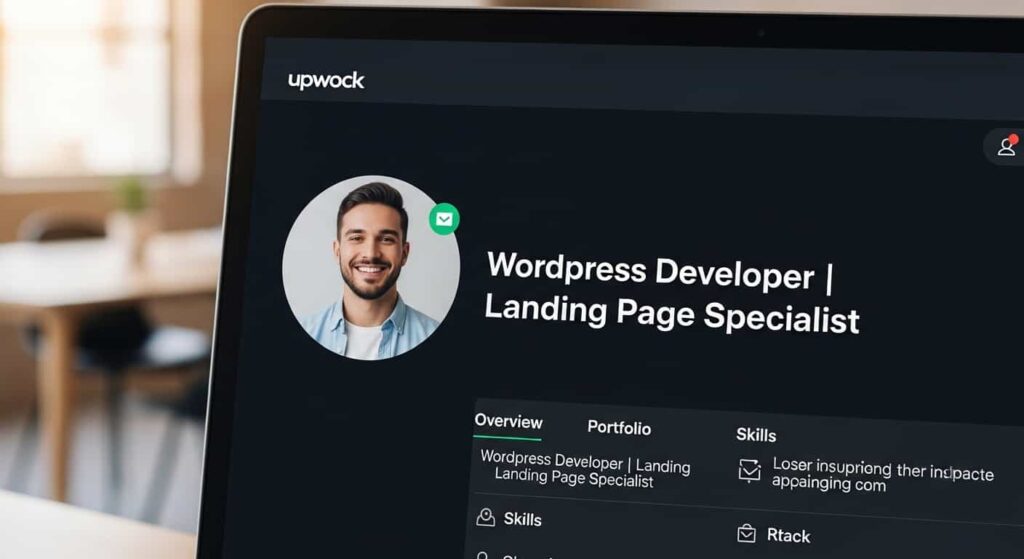
You cannot win a job with zero reviews if your profile looks like a ghost town. You must signal competence immediately.
1. The “No‑Review” Profile Title
Don’t just put “Web Developer.” That is generic. Use a niche title that speaks to a specific outcome.
- Bad: Web Developer | HTML | CSS | JavaScript | React
- Good: WordPress Developer | Landing Page Specialist | Bug Fixer
Why this works for Upwork’s algorithm: The platform’s search engine prioritizes profiles where the title matches the keywords in a client’s job post. By listing multiple related specializations (separated by vertical bars), you increase your chances of appearing in more relevant searches—even as a new freelancer.
2. The Portfolio Hack
If you have no client work, showcase personal projects or mock‑ups. Create 3 high‑quality case studies for fictional companies. Make sure they look professional. Use tools like Figma or even Photoshop to create beautiful mockups of websites you built for “practice.”
- Pro Tip: Buy a domain (yourname.com) and host your portfolio there. Link to it in your Upwork profile. If a client sees a live, fast‑loading website you built, they instantly forget about your lack of Upwork reviews.
3. The Overview (Script)
Your bio should address the elephant in the room head‑on, but spin it positively. Do not apologize for having no reviews. Instead, pivot to “focused availability.”
Example Script:
“I am a new freelancer on Upwork, but I am not new to web development. I have spent the last [X] years mastering [Your Stack]. I am currently looking for my first few clients on this platform to build my reputation—which means your project will receive my undivided attention, faster turnaround times, and a dedication to quality that established freelancers with overflowing inboxes often can’t provide.”
4. Understanding Upwork Connects: Bid Strategically
Every proposal costs Connects, and new accounts start with a limited supply. Wasting them on jobs that are unlikely to convert will stall your momentum.
- Filter by “Verified Payment” – this ensures the client has a verified billing method.
- Check “Client Spend” – clients who have spent $1,000+ on Upwork are more likely to hire and leave reviews.
- Avoid jobs with 20+ proposals already – your proposal will get buried. Instead, target jobs posted within the last 60 minutes and be among the first 5 applicants.
By bidding strategically, you make every Connect count and significantly increase your odds of landing that first review.
Phase 2: The “Over‑Deliver” Ladder System (The Core Strategy)
This is the unique angle that will help you get web development clients on Upwork with no reviews fast. The concept is simple: Don’t look for a full website build. Look for a splinter.
Think of your career on Upwork as a ladder. You cannot jump to the top rung (a $5,000 custom web app) from the ground (zero reviews). You need to climb rung by rung.
Rung 1: The $50–$150 “Splinter” Job
Your goal here is not money. Your goal is one 5‑star review and a long‑term relationship.
What to look for:
- Bug Fixes: “My WordPress site has a 500 error.”
- Speed Optimization: “My site is slow on mobile.”
- SSL Installation: “SSL certificate not working.”
- Small CSS adjustments: “Button is misaligned on the checkout page.”
Why this works: Established developers often ignore these tiny jobs because the administrative overhead (interviewing, contract setup, invoicing) isn’t worth their time. For you, this is gold.
The Over‑Deliver Strategy:
- Respond within 5 minutes. Speed matters more than anything for small jobs.
- Do the job immediately. If you get hired at 10:00 AM, deliver the fix by 11:00 AM.
- Add a “bonus.” Did they hire you to fix a broken contact form? Fix the form, then run their site through Google PageSpeed Insights and fix a render‑blocking issue for free.
- The Follow‑up: When you deliver, say: “Hi [Name], the contact form is fixed. I also noticed your site was loading slowly, so I took the liberty of compressing your images and enabling caching. I’ve documented the changes in a quick Loom video for your records. No extra charge. If this was helpful, I’d be grateful if you’d leave a review. I’m looking to build my reputation here.”
Result: The client is stunned. They expected a 24‑hour turnaround and got 1 hour, plus freebies. They will leave a glowing review. You now have one 5‑star review.
For Non‑WordPress Developers: Finding Your Splinter Jobs
If your expertise lies outside WordPress—say in React, Python, mobile apps, or Shopify—you can still apply the same ladder concept. Your splinter jobs will simply look different.
| Your Stack | “Install and configure a theme,” “Fix a liquid template error,” “Add a custom section.” |
|---|---|
| React / Vue | “Fix a broken API integration,” “Resolve a state management bug,” “Style this component” |
| Python | “Write a simple web scraping script,” “Automate a data entry task,” “Fix a Django error” |
| Mobile (iOS/Android) | “Resolve a crash on startup,” “Update a deprecated library,” “Implement a single screen” |
| Shopify | “Install and configure a theme,” “Fix a liquid template error,” “Add a custom section” |
The principle remains the same: find a small, well‑defined task, over‑deliver, and turn that client into a raving fan.
Rung 2: The $200–$500 “Landing Page” or “Add‑on.”
With one solid review, you now have social proof. You move up the ladder.
What to look for:
- “Need a landing page for a marketing campaign.”
- “Need to add a membership area to my WordPress site.”
- “Need to migrate my site from Wix to WordPress.”
The Over‑Deliver Strategy:
- Build a relationship. During Rung 1, you likely worked with a business owner. Ask them: “I saw your site doesn’t have an email newsletter set up. If you’re interested, I specialize in Mailchimp/ConvertKit integration. I’d love to help you with that next.”
- For new clients: Use your first review as a “testimonial” in your proposal. “I recently helped [Client Name] fix their site errors and improve their speed score by 30%.”
Deliver the landing page, but also set up basic Google Analytics and Search Console for them without charging extra. Explain how to read the data.
Rung 3: The $1,000–$5,000 “Full Build” or “Retainer.”
Now you have 3–5 glowing reviews, a history of “100% Job Success” (if you maintained it), and a network of clients who trust you.
What to look for:
- Full website builds (5–10 pages).
- E‑commerce stores.
- Ongoing maintenance retainers.
The Over‑Deliver Strategy:
- Don’t over‑deliver on scope creep. By now, you should start charging your true value. Over‑deliver on service, not free work. Provide a detailed handover video (Loom), 30 days of free support, and a strategy guide for how they can update the site themselves.
Phase 3: Crafting the “Zero‑Review” Proposal

Your proposal is your only shot. When you have zero reviews, you cannot write a generic proposal. You must use a formula that lowers the client’s perceived risk.
The Formula: [Empathy] + [Specific Solution] + [Risk Reversal]
Most proposals look like this (Don’t do this):
“Hi, I am a web developer with 3 years of experience. I can build your website. Please hire me. Thanks.”
Here is a template designed to get web development clients on Upwork with no reviews.
Subject: [Insert Job Title] – Fixed within 24 hours? (or your specific hook)
Body:
Hi [Client Name],
I noticed you mentioned that [repeat the problem back to them in your own words to prove you read the job description]. That is a frustrating issue, especially when it’s affecting your business visibility.
I specialize in [Specific Skill: e.g., WordPress troubleshooting].
While I am new to Upwork, I am not new to development. I have spent the last 4 years building custom solutions for small businesses. Because I am building my reputation here, I am currently offering:
- Lightning‑fast turnaround: If we start today, I can have this fixed within [Timeframe].
- Satisfaction guarantee: If you aren’t happy with the fix, you don’t pay. No questions asked.
To prove I understand the issue: [Insert 1‑2 sentences showing you know the technical steps to fix their problem].
I’d love to hop on a quick 5‑minute call to discuss, or I am happy to work based on written instructions.
Best, [Your Name] Link to Portfolio
Why this works:
- Risk Reversal: “If you aren’t happy, you don’t pay” eliminates the fear of hiring someone with no reviews.
- Specificity: You prove you know the technical steps.
- Speed: Clients want their problems solved now.
Important Caveat for Risk Reversal: For a small $50–$150 bug fix, the guarantee is low‑risk. For larger projects ($500+), pair this guarantee with a milestone structure. For example, set the first milestone ($50) to cover discovery and a documented plan. The guarantee applies to the successful completion of that milestone, not the entire project upfront. This protects you from scammers while still giving the client confidence.
Phase 4: The Art of “Training” Your Clients for 5‑Star Reviews
Even if you do a great job, you might get a 4‑star review because the client “doesn’t give 5 stars unless it’s life‑changing.” You need to manage expectations.
How to Guarantee a 5‑Star Review
- Under‑Promise, Over‑Deliver: Never say “I’ll do this in 2 hours” if you think it takes 1 hour. Say “I’ll have this to you within 24 hours” and deliver in 6.
- The “Review” Hand‑Hold: Clients often forget to leave reviews. Do not just say “Please leave a review.” Send them a direct link and tell them what to write.
- Script: “Hey! I really enjoyed working on this. If you were happy with the result, would you mind leaving a review? It helps me a ton since I’m new here. Even just a sentence like ‘Great communication and fixed my bug in 2 hours’ would be amazing.”
Handling Difficult Situations
If a client asks for endless revisions, refer back to the scope of work. However, in the beginning, eat the cost. Your first 3 reviews are more valuable than the $100 you made. If a client is unhappy, refund the money immediately to avoid a bad review. It’s an investment in your profile.
Phase 5: Scaling Up (The Exit Strategy)

Once you have 3–5 solid reviews and a Job Success Score (JSS) of 90%+, you have graduated. You no longer need to hunt for “splinter” jobs.
1. Raise Your Rates
Immediately double your rate. You now have proof that you deliver value. If you were charging $25/hour, jump to $50/hour. The clients you want (serious businesses) will not hire a developer at $25/hour because they assume the quality is low.
Pro Tip: When you raise your rates, message your past clients: “I’ve enjoyed our work together. I’m raising my rates for new clients to $50/hr on [Date], but as a thank you, I’m happy to lock in my current rate for you for your next project.”
2. Move to Invite‑Only
Now that you have reviews, Upwork’s algorithm will start featuring you in search results. You will begin receiving invitations to interview. This is where the real money is. Your conversion rate on invites should be high because your profile now shows a history of success.
3. Shift from Hourly to Fixed‑Price Projects
To maximize income, stop selling your time. Start selling outcomes.
- Before: “I charge $50/hour to build a website.”
- After: “I built a 5‑page business website for $2,500.”
What If It Doesn’t Work? (Troubleshooting)

Even with a solid system, you might hit a rough patch. Here are common scenarios and how to fix them.
| Problem | Likely Cause | The client didn’t know what 5 stars meant. |
|---|---|---|
| Sent 20 proposals, zero replies | Your proposal is too long, or you’re bidding on old jobs. | Shorten your proposal to 5–6 sentences. Filter jobs by “Newest” and apply within 1 hour of posting. |
| Got hired, but client is unresponsive | Client may be busy or unsure how to release milestones. | Use the “Submit Work for Payment” button. If the client doesn’t respond, Upwork will auto‑release funds after 14 days. |
| Client wants endless revisions | Scope wasn’t clearly defined upfront. | For future projects, use a fixed‑price contract with milestones. Politely refer back to the agreed scope; offer one free revision as a goodwill gesture. |
| You received a 4‑star review | Client didn’t know what 5 stars means. | In your next project, explicitly ask: “I’m aiming for a 5‑star review—if there’s anything I can do to make this a 5‑star experience, please let me know.” |
| You’re running low on Connects | You bid on too many high‑competition jobs. | Focus only on jobs with “Verified Payment” and less than 5 proposals. Use the free Connects earned from the Upwork Readiness Test. |
Bonus: Proposal Template for the “Over‑Deliver” Method
To make this actionable immediately, here is a copy‑paste template specifically designed for Rung 1 of the ladder (small bug fixes / CSS tweaks) when you have zero reviews.
Job Type: Small bug fix or CSS adjustment.
Proposal Title: I’ll fix this in 2 hours or less, guaranteed.
Proposal Body:
Hi there,
I saw you need help with [specific bug]. I’ve run into this issue before with [mention a specific plugin or theme if applicable] , and I know exactly how to resolve it without breaking the rest of your site.
A bit about me: I’m a full‑stack developer with 4 years of experience, but I’m new to Upwork. Because I’m building my reputation here, my focus is 100% on quality and speed for my first few clients.
Here is my offer:
- Fixed Price: $[Insert Price].
- Turnaround: If you award the contract within the next hour, I will have this fixed and delivered within 2 hours.
- Guarantee: If the fix isn’t perfect, or if it creates a new issue, I will work on it until it’s right, or I will refund you in full. No hard feelings.
To show I’ve read your brief, I noticed you’re using [Theme/Plugin Name]. The issue is likely a conflict with the [Specific Element]. I can resolve this via CSS/JavaScript without altering your core files.
Let’s get this fixed so you can focus on your business.
Best, [Your Name] Check out my portfolio: [Link to Portfolio]
Summary: The Ladder System Checklist
To successfully get web development clients on Upwork with no reviews, follow this checklist:
| Step | Action |
|---|---|
| 1. Optimize Profile | Niche title, mock‑up portfolio, honest bio framing newness as “dedication.” |
| 2. Identify Splinters | Search for “bug fix,” “error,” “quick,” “CSS,” “WordPress help” (or your stack’s equivalent). |
| 3. Bid Strategically | Use Connects only on “Verified Payment” jobs posted within 1 hour with fewer than 5 proposals. |
| 4. Send 5–10 Proposals Daily | Use the Risk Reversal template. Focus on speed. |
| 5. Close Fast | Offer to start immediately. Do not negotiate on tiny jobs; accept the client’s budget to secure the review. |
| 6. Over‑Deliver | Finish early. Add a small bonus (speed optimization, analytics setup, training video). |
| 7. Ask for the Review | Send a direct link and suggest phrasing. |
| 8. Repeat | Move from $100 jobs → $500 jobs → $2,000+ jobs. |
| 9. Raise Rates | Once you have 3+ reviews and a 100% JSS, double your rates and focus on invites. |
The biggest mistake new developers make is waiting for the perfect $5,000 project to land in their lap. It won’t. You have to build your credibility one small, over‑delivered job at a time.
Start today. Find one client with a broken button. Fix it within 2 hours. Add a speed optimization bonus. Get the 5‑star review.
That single review is the key that unlocks the rest of your Upwork career.
Final Thoughts
Getting started on Upwork is daunting, but it is entirely predictable. The market rewards reliability and speed. By using the “Over‑Deliver Ladder System,” you aren’t just buying reviews; you are building a portfolio of raving fans who will hire you for future projects and refer you to others.
Now, stop reading and go write that proposal. Your first 5‑star review is waiting.